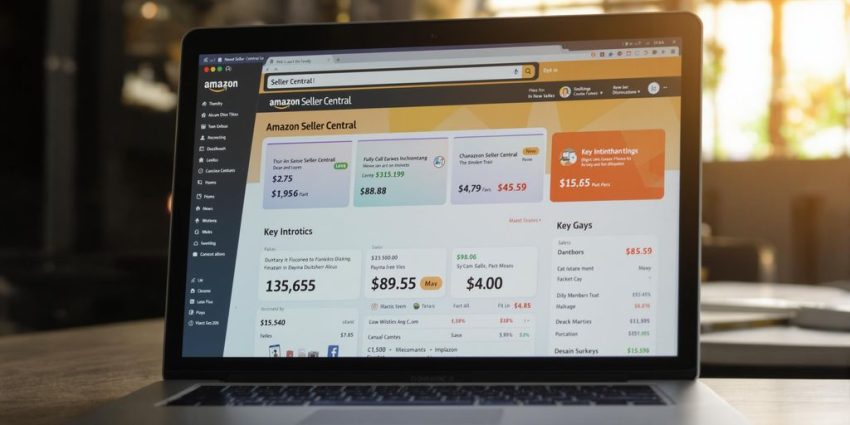
Thinking about selling on Amazon in 2025? It’s a great time to get started, with millions of shoppers already on the platform. But just listing a product isn’t enough. You need a solid plan and the right tools to actually make sales. This guide will walk you through what you need to know to succeed, using Amazon Central as your main tool. We’ll cover everything from setting up your account to growing your business.
Key Takeaways
- Get familiar with your Amazon Central dashboard; it’s your main hub for everything.
- Pick products wisely using tools like Product Opportunity Explorer and watch market trends.
- Make your product pages look great with good photos and clear descriptions to get more sales.
- Keep track of your costs and inventory to avoid running out of stock or having too much.
- Use Amazon ads to get your products seen and monitor how well they’re doing to improve your spending.
Navigating Your aMazon Central Dashboard
Think of your aMazon Central dashboard as the cockpit of your entire online store. It’s where all the action happens, from listing new products to tracking sales and managing your inventory. Getting comfortable here is step one to selling success. It might seem a bit overwhelming at first, with all the menus and reports, but once you learn where everything is, it becomes your main hub for running your business. You can add new items, change prices, and even see how your products are doing in real-time. It’s pretty much your direct line to managing your presence on the aMazon platform without needing your own website.
Understanding the Core aMazon Central Interface
The aMazon Central interface is your command center. Here’s a breakdown of what you’ll find and what you can do:
- Product Management: This is where you list new products, edit existing ones, upload images, and write descriptions. You can also set prices and choose how you want to fulfill orders (either through aMazon’s FBA or by handling it yourself, FBM).
- Order Tracking: Keep an eye on incoming orders, their fulfillment status, and shipping details. You can confirm shipments, process refunds, and manage returns right from this section.
- Inventory Oversight: Whether you use FBA or FBM, this area lets you monitor stock levels, set up restock alerts, and manage what you send to aMazon’s warehouses. It’s also where you can check your Inventory Performance Index (IPI) to see how well you’re managing your stock.
- Performance Monitoring: This section is vital for keeping your account in good standing. You can track key metrics like your order defect rate, on-time delivery rate, and Buy Box percentage. It also includes your Account Health, which covers customer service, claims, and policy compliance.
Recent Updates and Their Impact on Your Workflow
aMazon frequently updates its Seller Central platform, and staying on top of these changes is important. For instance, shipping performance updates are now often found directly on the dashboard, meaning you might need to check there daily instead of relying solely on notifications. The Business Reports section has also seen improvements, allowing you to filter sales data by business versus non-business buyers. A new ‘Search by ASIN’ feature makes tracking specific product performance much easier. You can now also find a ‘Deep dive your ASIN performance’ area within Business Reports, giving you a quick look at your top-performing ASINs, those with declining sales or traffic, and products doing worse than the market average. These updates aim to give you clearer insights and streamline how you manage your business.
Leveraging User Permissions for Team Collaboration
If you have a team or virtual assistants helping you, managing access is key. You can grant specific permissions to different users, allowing them to manage certain aspects of your account without giving them full control. To do this, go to ‘Settings’ in the top right corner and select ‘User Permissions.’ From there, you can add new users and assign them roles based on what tasks they need to perform. This is a great way to delegate work and keep your main account secure. For example, you might give someone access to manage listings but not to change account information. Properly setting up user permissions helps maintain security and allows for efficient teamwork.
Managing your account information, like changing your business address or contact details, is straightforward. Navigate to ‘Settings’ and then ‘Account Info.’ You can then edit the specific details you need to update and save your changes. While listing updates usually appear within an hour, backend changes might take up to 24 hours to reflect. It’s always a good idea to double-check your changes after they’ve been processed.
Understanding these core features and staying updated on changes will help you manage your business more effectively. You can even use tools like the aMazon Best Sellers lists to get ideas for products that are already popular.
Strategic Product Selection and Sourcing
Picking the right product is probably the most important step when you start selling on Amazon. Get this wrong, and everything else becomes a lot harder. It’s not just about finding something you like; it’s about finding something that people actually want to buy and that you can source reliably.
Identifying Profitable Niches with Product Opportunity Explorer
Amazon’s own Product Opportunity Explorer is a good place to start looking. It gives you data on search volume, how much competition there is, and what kind of sales numbers similar products are getting. You want to find a sweet spot – not too much competition, but enough people searching for it that you can actually make sales. It helps you see if a product has potential before you invest too much time and money. We found some great tips on product research tactics that really helped us narrow things down.
Evaluating Market Trends and Seasonal Demand
Think about whether the product you’re considering sells well all year round or only during certain times. For example, selling holiday decorations makes sense in the fall, but not so much in the summer. While seasonal products can be profitable, having a mix of items with steady demand is usually a safer bet for consistent income. Keep an eye on what’s popular now, but also what might be popular next year. Sometimes, a product that seems a bit niche now could become big later.
Verifying Supplier Legitimacy and Quality Assurance
Once you’ve picked a product, you need to find someone to make it or supply it. This is where things can get tricky. You can’t just trust the first supplier you find on a site like Alibaba. You need to do your homework. Ask for references, see if they can send you samples of their product, and check if they have any certifications. It’s also smart to compare prices and how long it takes them to ship. Getting samples and checking quality upfront can save you a lot of headaches down the road. You don’t want to end up with a big batch of products that are poorly made.
Finding reliable suppliers is key to avoiding costly mistakes and ensuring your customers get good products. It takes time, but it’s worth the effort.
Optimizing Product Listings for Conversion
Making your product listings shine is super important if you want people to actually buy what you’re selling on aMazon. It’s like setting up a shop window, but online. You’ve got to grab attention fast.
Crafting Keyword-Rich Titles and Compelling Bullet Points
Your title is the first thing people see, so make it count. Think about what words customers actually type into the search bar. Stuffing it with keywords is good, but it also needs to make sense and sound appealing. Don’t just list features; explain how they help the customer. For example, instead of ‘Durable Widget,’ try ‘Durable Widget – Built to Last for Outdoor Adventures.’ Bullet points are your chance to sell the benefits. Use them to highlight what makes your product special and why someone needs it. A good bullet point might be: ‘Waterproof design means no worries during unexpected rain showers.’
Utilizing High-Quality Imagery and A+ Content
People can’t touch your product online, so your pictures have to do the heavy lifting. Use clear, bright photos that show the product from all angles. Zoom in on important details. If you can, show the product in use. For Brand Registered sellers, A+ Content is a game-changer. It lets you add more images, comparison charts, and detailed text to really tell your product’s story and make it stand out from the competition. It’s a great way to improve your Amazon SEO.
Understanding Amazon’s Title Compliance Guidelines
Amazon has rules about titles, and you don’t want to mess with them. Generally, keep titles under 200 characters, including spaces. Avoid repeating words unnecessarily. Stick to the facts and don’t make claims that aren’t true. For instance, don’t say ‘Best Widget Ever!’ unless you can prove it. Always check the latest guidelines for your specific product category, as they can change. Following these rules helps keep your listing active and visible.
Mastering Pricing and Inventory Management
Getting your pricing and stock levels right is super important for making money on aMazon. It’s not just about picking a number; you’ve got to think about all the costs involved and make sure you don’t run out of popular items or end up with too much stuff sitting around.
Calculating Costs: COGS, Fees, and Ad Spend
Before you even think about setting a price, you need to know your numbers. This means figuring out your Cost of Goods Sold (COGS) – what it costs you to make or buy the product. Then there are aMazon’s fees: referral fees, FBA fees if you use that service, and any other optional service costs. Don’t forget your advertising spend, often measured by Advertising Cost of Sale (ACoS). You need to cover all of these and still make a profit. It’s a balancing act, for sure.
Here’s a quick look at what goes into your cost calculation:
| Cost Type | Description |
|---|---|
| COGS | Cost to acquire or manufacture the product |
| Referral Fees | Percentage of sale paid to aMazon |
| FBA Fees | Storage, fulfillment, and shipping costs (if applicable) |
| Ad Spend | Budget allocated for aMazon advertising |
| Other Fees | Optional services, returns, etc. |
Implementing Smart Reordering and Restock Alerts
Running out of stock is a big no-no. It means lost sales and can even hurt your product’s ranking. You need a system to keep track of what’s selling and when to reorder. Setting up restock alerts in Seller Central is a good start. For more advanced management, consider using tools that can predict when you’ll need more inventory based on your sales velocity. This helps you avoid those dreaded stockouts and keeps your customers happy. Staying compliant with aMazon’s restock limits is also key, and tools can help with that data-backed recommendations.
Forecasting Demand to Avoid Stockouts and Overages
Predicting how much you’ll sell is tricky, but it’s vital. You can look at past sales data, consider seasonal trends, and keep an eye on competitor activity. Tools that analyze sales velocity and market trends can be really helpful here. The goal is to have enough inventory to meet demand without having so much that you’re paying extra storage fees or risking products becoming obsolete. It’s all about finding that sweet spot to maximize your profits and keep your business running smoothly.
Driving Traffic and Sales with Advertising
Getting your products seen is half the battle on aMazon. Once your listings are polished and your inventory is ready, it’s time to get people clicking. Advertising is how you do that. It’s not just about throwing money at ads; it’s about smart spending to reach the right shoppers.
Launching Sponsored Products and Promotions
Sponsored Products are your bread and butter for driving immediate sales. Think of them as targeted ads that appear right in search results. To get started, you’ll use the Advertising Campaign Manager in Seller Central. You can create manual campaigns where you pick the keywords, or automatic campaigns where aMazon finds them for you. It’s a good idea to start with a mix. For manual campaigns, naming conventions are key. Something like [ProductCode]_SP_MANUAL_EXACT_AMZKW_01 helps keep things organized. This way, you know exactly what each campaign is doing. Don’t forget about promotions like coupons and Lightning Deals. These can create a sense of urgency and encourage quick purchases, giving your sales a nice boost.
Utilizing External Traffic Sources Effectively
Don’t put all your eggs in the aMazon basket. Driving traffic from outside the platform can really help. Think about social media platforms like TikTok or YouTube Shorts. Short, engaging videos showcasing your product can grab attention. Google Shopping ads are also a great way to capture shoppers who are actively searching for products like yours. This strategy can effectively drive high-quality traffic to your listings. It’s all about meeting customers where they are.
Monitoring Ad Performance and Optimizing ACoS
Running ads isn’t a set-it-and-forget-it thing. You absolutely have to watch how they’re doing. A key metric here is ACoS, or Advertising Cost of Sales. This tells you how much you’re spending on ads for every dollar of sales you make. A lower ACoS generally means your ads are more efficient. You’ll want to check your campaigns regularly, maybe weekly. See which keywords are performing well and which ones aren’t. Pause the ones that are just burning money. You might also want to look at TACOS (Total Advertising Cost of Sales), which includes both paid and organic sales. A TACOS under 10% is usually a good sign. Tools can help automate some of this, but understanding the basics yourself is important for long-term success.
Monitoring Performance and Scaling Your Business

Okay, so you’ve got your products listed, you’re running ads, and sales are coming in. That’s awesome! But the real work, the stuff that turns a good start into a thriving business, is all about watching what’s happening and then making smart moves to grow. It’s not enough to just set things up and hope for the best. You’ve got to keep an eye on the numbers and be ready to adjust.
Tracking Key Performance Indicators (KPIs) in aMazon Central
Your aMazon Central dashboard is packed with data, and knowing which numbers matter most is key. Think of these as your business’s vital signs. You’ll want to regularly check things like your sales volume, conversion rates, and customer feedback scores. Paying attention to your Inventory Performance Index (IPI) score is also super important; it tells you how well you’re managing your stock, which directly impacts storage fees and whether you can even sell certain items. Getting a handle on these Amazon KPIs for 2025 helps you see where you’re doing well and where you need to focus your energy.
Analyzing ASIN Performance and Sales Trends
Every product you sell, identified by its ASIN, has its own story. Some ASINs will be flying off the virtual shelves, while others might be gathering dust. You need to dig into the sales reports to see which products are performing best and why. Are certain product images leading to more sales? Are specific keywords driving traffic to a particular ASIN? Understanding these trends helps you decide which products to push harder with ads, which ones might need a listing refresh, and which ones might be time to phase out. It’s all about making data-driven decisions, not just guessing.
Leveraging Tools for Feedback and Profitability Insights
Customer reviews and seller feedback aren’t just nice to have; they’re goldmines of information. They tell you what customers love and what they’re unhappy about, giving you direct clues for product improvement or new product ideas. Beyond feedback, you need to understand your actual profit. This means looking at your cost of goods sold (COGS), aMazon fees, advertising spend, and any other overhead. Tools that can break down profitability by SKU are incredibly useful here. Knowing your true profit margins helps you price smarter and identify which parts of your business are truly making money. It’s easy to get caught up in just sales numbers, but profit is what keeps the lights on.
Wrapping Up Your Amazon Journey for 2025
So, that’s pretty much it. Selling on Amazon in 2025 is definitely doable, but it’s not just about having a good product. You really need to have a solid plan, know how to handle your stock, use your data wisely, and always be ready to tweak things. It can feel like a lot at first, but by breaking it down and using the right tools, you can get there. Remember, Amazon is a huge marketplace with tons of shoppers, so if you put in the work and stay smart about it, you can definitely find success. Keep learning, keep adapting, and you’ll be well on your way.
Frequently Asked Questions
What exactly is Amazon Seller Central?
Think of Amazon Seller Central as your main office for selling on Amazon. It’s where you list products, check orders, manage your stock, and run ads. It’s like the dashboard for your entire Amazon business, helping you keep everything organized and running smoothly.
Can I let my team members access my Amazon Seller Central account?
Yes, you can! In Seller Central, go to ‘Settings’ in the top right corner, then click on ‘User Permissions.’ From there, you can add other people, like team members or virtual assistants, to help manage your account.
What kind of products should I look for to sell on Amazon?
When you’re deciding what to sell, look for items that people want all year round. It’s also good if the product is small and not too heavy, as this can save you money on shipping and storage fees with Amazon.
How do I figure out the right price for my product?
That’s a great question! You need to figure out all your costs, like how much you paid for the product, Amazon’s fees for selling and shipping, and how much you’ll spend on ads. Knowing these numbers helps you set a price that makes you money.
How can I tell if my products are selling well on Amazon?
Amazon has tools to help you see how your products are doing. You can check things like how many people are looking at your products, how many actually buy them, and how well your ads are working. Keeping an eye on these numbers helps you make your business better.
Why is managing my inventory so important?
It’s super important to make sure you don’t run out of stock, but also don’t have too much stuff sitting around. You can use Amazon’s tools to get alerts when you need to order more and to guess how much you’ll sell in the future.